Short Answer
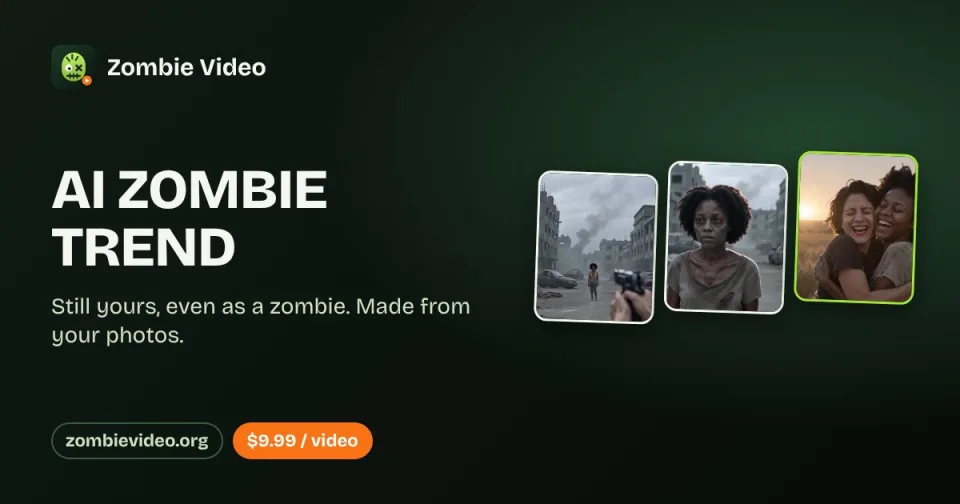
The AI Zombie Trend is a short, emotional AI video—not a movie scene and not a simple zombie-face filter. Someone you love has turned into a zombie. You raise a weapon but cannot hurt them, lower it, and open your arms. The zombie moves into the embrace, and the video cuts from the cold ruined world to a warm memory of the same two people before the apocalypse. Creators recreate this fixed mini-story with photos of a partner, friend, family member, or pet.
What Happens in the AI Zombie Video?
Most versions follow the same four beats:
- The reveal: A loved one appears as a recognizable zombie in a cold, abandoned setting.
- The choice: The survivor raises a weapon, hesitates, and decides not to fire.
- The embrace: The zombie comes closer, but the expected attack becomes a hug.
- The memory: The movement match-cuts into a warm scene of the pair laughing, walking, or holding each other before everything changed.
The emotional reversal is the point. Horror creates the tension, but recognition and loyalty deliver the payoff.
Why Is It Trending?
The format combines five strong sharing triggers:
- A complete story in seconds: Viewers understand the conflict, decision, and emotional resolution without dialogue.
- A sharp emotional reversal: The apparent attack becomes an embrace, then a memory.
- Personal casting: Two ordinary photos can turn a partner, parent, friend, or pet into the story’s leads.
- Source confusion: The cinematic presentation led some viewers to ask which movie the clip came from, creating additional search demand.
- Seasonal timing: The format accelerated just before Halloween while staying romantic and largely non-graphic.
Dedicated tutorials, template pages, and single-purpose generators began appearing around October 4–8.
Social Discussion Summary
The social response is not only “this looks cool.” It clusters around four reactions:
- Emotional surprise: Viewers expect a zombie attack and instead get a reunion, prompting crying reactions and “I would still choose you” interpretations.
- Movie confusion: A Reddit user asked which film contained the scene; commenters eventually identified it as an AI video rather than a conventional movie.
- Prompt and tool demand: After learning it was AI-generated, viewers asked for the prompt, original clip, app, or template.
- AI skepticism: Some commenters disliked being fooled by a cinematic AI clip or criticized the idea of calling an AI-video maker a “creator.”
That is why identifying the clip as AI matters as much as explaining how to recreate it.
How to Make the AI Zombie Trend
Option 1: Use a Dedicated Generator
This is the fastest route for users who want the recognizable story without writing prompts or editing scenes.
- Upload one clear photo of the survivor and one clear photo of the person or pet who turns.
- Assign the roles carefully; generators differ on whether Photo 1 or Photo 2 becomes the zombie.
- Choose 9:16 for a native vertical post, or 16:9 if the service recreates the widescreen cinematic version.
- Select a non-graphic zombie style so the face remains recognizable.
- Generate, review facial consistency and hand movement, then download the MP4.
- Add a platform-native sound and an AI-generated-content label before posting.
Option 2: Build It Yourself
Use an image-to-video model for the cold zombie sequence and a second generation for the warm memory. Join them in an editor such as CapCut with a hard or match cut on the embrace.
Recommended structure:
- 0–4 seconds: zombie reveal
- 4–7 seconds: survivor raises the weapon
- 7–11 seconds: weapon lowers and arms open
- 11–15 seconds: match cut into the warm memory
Copy-Paste Prompt
Create a cinematic, non-graphic AI short film using the two reference people consistently.

Scene 1: In a cold blue-gray abandoned room after a zombie outbreak, Person B has become a recognizable zombie with pale skin, cloudy eyes and worn clothes, but no blood or gore. Person A raises a handgun with shaking hands, recognizes Person B and cannot fire.

Scene 2: Person A slowly lowers the weapon and opens their arms. Person B moves forward, not to attack, but to embrace Person A. Keep both faces stable and preserve their clothing.

Scene 3: Match-cut on the embrace into a warm golden-hour memory of the same two people, healthy and smiling, holding each other in a sunlit field. Emotional, bittersweet, realistic motion, no text, no watermark, no graphic injury.If the model refuses the weapon, replace it with “holds a defensive object, then lets it fall” or begin with open arms. The emotional choice matters more than the gun.
Generator and Pricing Snapshot
Prices below are public offers observed on 2026-10-11 and may change. Users should confirm resolution, watermark rules, refunds, and photo-retention terms before payment.
| Service | Public Offer Observed | Notes |
|---|---|---|
| ZombieVideo.org | First video advertised as free; additional access from $9.99 | Two-photo “Zombie Story” effect; also advertises credit plans |
| AI Zombie Trend / ZombieTrendAI.com | $9.99 for one video | Single-purpose trend generator |
| ZombieHug / aizombie.app | $9.90 for one 20-second 720p video | Advertises 15 shots, sound, no subscription |
| aizombie.org | $9.99 for one; $24.99 for three; $69.99 for ten | Advertises no watermark and credit return on failed generations |
| ZombieTrend.com | Credit packs from $9.90; 480p uses 200 credits and 720p uses 300 credits | Advertises no subscription and 12-month credit validity |
Photo Tips
- Use one clearly visible subject per photo whenever possible.
- Choose current photos with natural light and an unobstructed face.
- Avoid sunglasses, masks, extreme filters, and cropped foreheads.
- Waist-up portraits usually give the model more room to create the embrace.
- Use similar camera angles for both people if facial consistency matters.
- Only upload photos you own or have permission to use.
Posting Tips
- Label the video as AI-generated instead of presenting it as a real movie clip.
- Use a personal caption rather than copying a generic one. Examples: “I’d still choose you.”, “In every lifetime.”, or “Would you recognize me?”
- Add music inside TikTok, Instagram, or YouTube if you want platform-cleared audio; do not assume a sound included by an external generator is licensed everywhere.
- Keep the zombie transformation non-graphic if the goal is emotional sharing rather than horror shock.
- Watch the full export for face drift, extra fingers, role swaps, or a weapon pointing in the wrong direction.
FAQ
Is the AI Zombie Trend from a movie?
No single movie owns the trend. The widely shared clips are AI-generated short videos, although their cinematic lighting and editing caused some viewers to mistake them for film scenes.
Is it just a zombie filter?
No. A filter mainly changes a face. This trend tells a fixed story with a reveal, a moral choice, a hug, and a memory cut.
What is the trend called?
The most common names are AI Zombie Trend, Zombie Love Story, AI Zombie Hug, and Zombie Couple AI Trend. Some users search for the caption In Every Lifetime or the title CHOICE.
Can I make it with a friend, parent, or pet?
Yes. Couple versions are common, but generators and DIY tutorials also support best friends, family members, dogs, and cats.
Can I make the AI Zombie Trend for free?
Some services advertise a first generation or limited credits for free. Availability, queues, resolution, and watermark rules vary. Free daily credits in general-purpose AI video tools may also work, but the two scenes usually need to be generated and edited separately.
What is the original AI Zombie Trend video?
The origin is not fully settled. Several pages attribute a film called CHOICE to the creator techmaf, while another investigation found an early large Instagram Reel from late September that credited the same creator. The attribution is reported rather than a conclusively verified first upload.
Why does the result not look like us?
Face drift usually comes from small, dark, filtered, or obstructed reference photos. Use clear front-facing images, keep one person per photo, specify the same faces and outfits across both scenes, and regenerate if the roles switch.
Sources
- Trend definition, format, publication timeline, first-video-free claim, and pricing update: https://zombievideo.org/ai-zombie-trend
- Couple-specific two-photo workflow: https://zombievideo.org/zombie-couple-video
- Independent origin caveat and early Instagram attribution: https://aizombietrend.com/how-to-do-the-ai-zombie-trend
- Reddit discussion in which viewers tried to identify the clip as a movie and learned it was AI: https://www.reddit.com/r/whatsthemoviecalled/comments/1wso9ld/i_saw_a_short_clip_where_a_guy_lets_a_zombie/
- Creator/original clip link shared in the Reddit discussion: https://www.instagram.com/reels/DdT4j1oKtw2/
- Making-of link shared in the Reddit discussion: https://www.instagram.com/reel/DdyyEmmKzOI/
- Social reaction patterns, timeline, and Seedance example: https://seadanse.com/blog/what-is-the-zombie-ai-trend
- Generator comparison and $9.99 price: https://zombietrendai.com/
- ZombieHug public $9.90 offer: https://aizombie.app/
- aizombie.org prices and DIY workflow: https://aizombie.org/
- ZombieTrend.com credit pricing and variants: https://zombietrend.com/
- Additional generator pricing: https://aizombievideo.org/