Where to watch
Open a GoodShort series on its website or in the app to see the episode list and begin watching. The official series page is the place to return when you want the next part of that title.
GoodShort offers short dramas on its website and mobile apps. If you have found a title through an ad or a clip, open its official series page to check the episodes first. This guide explains the different payment paths and where to look if your account, subscription or next episode needs attention.
Open a GoodShort series on its website or in the app to see the episode list and begin watching. The official series page is the place to return when you want the next part of that title.

Watch Free starts a series. Later episodes can offer different access choices, so open the next part to see what is available for that title before you buy anything.

A website top-up and an app subscription are different purchases. Compare the item, currency, price and any renewal date at checkout; the receipt records which one you chose. GoodShort terms.

An Apple-billed plan appears in Apple Subscriptions. A purchase made through another checkout follows that seller’s account and support route. Use the original receipt to identify where to manage it.

For a locked episode you believe you already bought, first check the signed-in account and episode number. GoodShort provides Help & Suggestion on its website and contact@goodshort.com for a private request about the missing access.
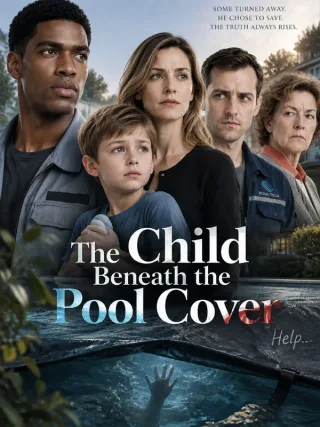
Marcus hears a trapped child, but the boy's family mistakes his rescue attempt for a threat.
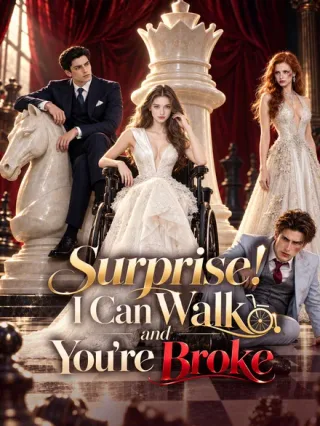
Alice ends a three-year deception after her fiancé's affair and reveals the heiress he misjudged.
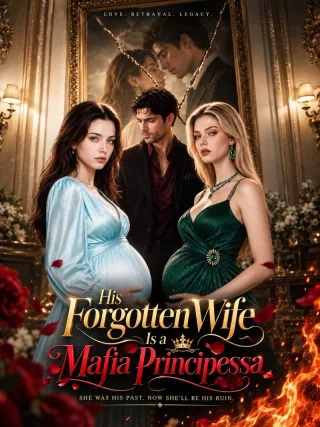
Amanda leaves the husband who denied their child an inheritance and returns as a mafia heiress.
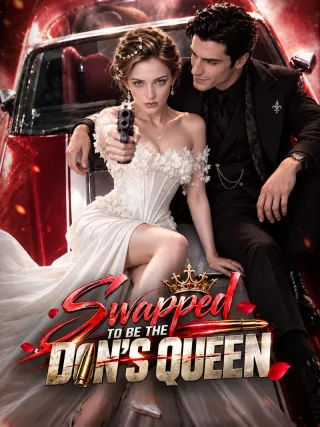
Reborn Veronica swaps fiancés and enters the mafia world on her own terms.
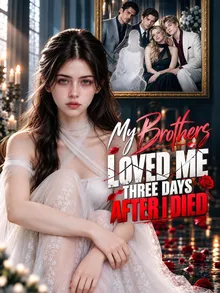
Noelle spends three days as a ghost watching her brothers discover the truth too late.

GoodShort series pages show a title, synopsis and episode list together. When an ad uses a different caption, the characters and plot on that page help you find the intended drama. GoodShort catalogue.

Use Add to following to keep a drama easy to find later. It saves the title; episode access is still chosen separately when you continue watching. GoodShort website.

In a discussion about favorite short-drama apps, one viewer says GoodShort's free rewards are a reason they keep using it. Their comment is about the small choices available between paid episodes, not a promise that every series can be finished for free. .
A viewer who had tried several drama apps calls GoodShort reliable but too expensive for their budget. They say a promotion might bring them back. It is one person's experience, and it explains why the same catalogue can appeal to someone while its cost keeps them away. .
The official site lets you start titles through Watch Free, but later episodes can show a different unlock choice. Check the episode list and next-episode screen of the title you want. A free entry button does not tell you the cost or availability of the entire series. GoodShort catalogue.
No. A top-up and a recurring subscription are separate purchase types, and the billing provider may differ. The checkout and receipt show what you bought, how much was charged and whether there is a renewal date. Keep that record when moving between the website and app. GoodShort payment terms.
On an iPhone or iPad, open Settings → your name → Subscriptions, select GoodShort if it appears, and choose Cancel Subscription. If it is absent, check the receipt before assuming the purchase was Apple-billed. Deleting the app does not cancel a subscription. Apple's instructions.
Check that you are using the account that made the purchase and open the series' episode list. Keep the title, episode number and receipt or bonus history, then contact GoodShort through its website Help & Suggestion route or contact@goodshort.com. Do not buy the same access again until the first transaction has been checked. GoodShort support entry · App Store listing.
Canceling prevents future renewal under the applicable terms; it is not itself a refund request. Use the receipt to identify whether Apple, Google Play or GoodShort processed the charge, then contact that provider's purchase-support route. GoodShort's terms say fees are reviewed at checkout and include their own payment conditions. GoodShort terms.