Where to watch
Search for the exact series on NetShort’s website or in its app, then open its episode list. A short clip may omit the title, so compare the characters and plot before opening a different drama with a similar name.
NetShort lets you start short dramas on its website or mobile app. This guide helps you check which episodes are available to your account, what changes when a series needs coins or VIP, and where to go when a payment or download does not work.
Search for the exact series on NetShort’s website or in its app, then open its episode list. A short clip may omit the title, so compare the characters and plot before opening a different drama with a similar name.

Many series begin with free episodes. When you reach the next locked part, its screen shows whether an ad, coins or another option is available for that episode. NetShort’s viewing guide.

Coins and ads are episode-level choices when offered. VIP is a recurring plan with benefits such as ad-free viewing and supported downloads; its price and billing period appear at checkout. Choose based on the drama and device you will use. Membership terms.

An Apple-billed subscription is managed in Apple Subscriptions; a NetShort-managed plan uses the account’s Me page. Your receipt tells you which billing route applies when you need to change or cancel a plan.

If an episode will not play, confirm that you opened the intended series and try it in the current NetShort app. For an episode that still fails, Profile → Feedback lets you report the title, episode and device. NetShort help.

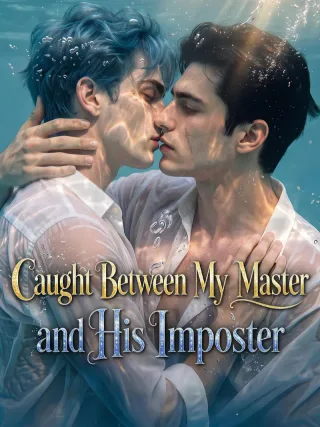
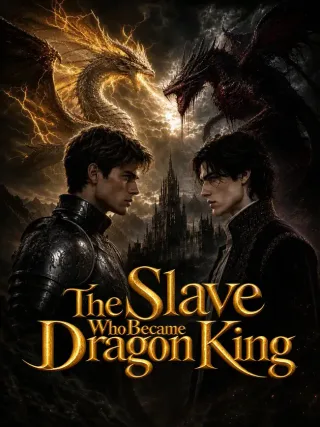
Reborn Sophia hears babies' thoughts and enters a godfather's household as his children's nanny.

A survival-game romance finds attraction where other players see a monster.

Formula 1 rivals Julian and Vinny find that understanding each other is harder than racing.

Each NetShort series has its own web page and episode list. That page gives you a direct title to share or return to, even if you first found the drama through an untitled social clip.

NetShort describes offline downloads as an app feature for supported dramas. Look for the download control on your chosen title before selecting VIP primarily to watch without a connection. NetShort FAQ.

The app’s Profile → Feedback route is for an issue with a particular episode or account. Include the series URL and episode number so support can identify the problem; add a receipt privately when the issue concerns a purchase. NetShort help.

A viewer trying to cancel NetShort could not find the charge in the Google Play subscriptions they checked. Replies work through where the purchase may have been billed. The thread captures a common source of confusion: an app can be installed from a store while a particular payment follows another checkout. .
One viewer includes NetShort among the drama apps they use for picture-in-picture viewing while playing a phone game. The thread is a practical example of why an app may suit someone who watches in short breaks; availability still depends on the device and current app. .
Yes, you can start many dramas with free early episodes. For later episodes, check the options shown on the exact series and account: NetShort says coins, ads, VIP or a subscription may apply. The number of free episodes is a title-level detail, so check the episode list rather than assuming a sitewide number. NetShort FAQ.
Find your receipt first. For an Apple-billed subscription, use iPhone Settings → your name → Subscriptions and select NetShort if it appears. For a plan managed directly through NetShort, its membership terms direct you to the Me page. If the plan is billed by another store, use that store's subscription controls. Canceling stops future renewal under the applicable terms; deleting the app does not cancel the payment. Apple instructions · NetShort terms.
NetShort describes downloads as usually available in the app, not necessarily on the website, and only when the title and account support them. Open the series in the app and look for its download option. If a download you already had disappears, contact NetShort through Profile → Feedback with the title, device and app version. NetShort FAQ.
Check the receipt and the account used for the purchase, then open the same title again. If access is still missing, send NetShort support the transaction reference and series URL through the app's feedback route. Avoid buying the same benefit again while the first charge is being checked. NetShort help.
Cancellation and a refund are separate requests. NetShort's membership agreement has specific refund terms for subscriptions, while a purchase billed by an app store follows that store's process. Check the receipt to identify the seller and use the matching support channel; do not assume that a cancellation automatically reverses the earlier charge.